Blooket Join: How to Join a Game With a Code
Joining a Blooket game is usually quick when you have the right code. Your teacher or game host gives you a code, and you use it to enter the live session with your classmates. You do not need to search through different pages or create a complicated setup just to join a game.
Whether you want to play Blooket join game sessions, enter a live classroom quiz, or join a game such as Gold Quest, the basic process is simple. This guide focuses only on joining Blooket games, using codes, and fixing common problems that can stop you from getting in.
What Is a Blooket Join Code?
A Blooket join code is a short code created for a specific game session. The host shares this code with players so they can enter the correct game.
Every game session can have its own code, which means an old code may not work later. If your teacher starts a new game, always use the newest code they provide.
How to Join a Blooket Game
Once you have the code, you can enter the game in a few steps. You only need a device with internet access and a web browser.
1. Get the Current Game Code
Ask your teacher or host for the code of the game you are supposed to play. It may be shown on a classroom screen, sent in a message, or shared through your online class.
Do not use an old code if your teacher has started a new session. The current code is the one that matters.



2. Enter the Blooket Play Page
Open the Blooket play page in your browser. You can do this from a computer, Chromebook, tablet, or phone.
There is normally no need to download a special app just to join a live game.
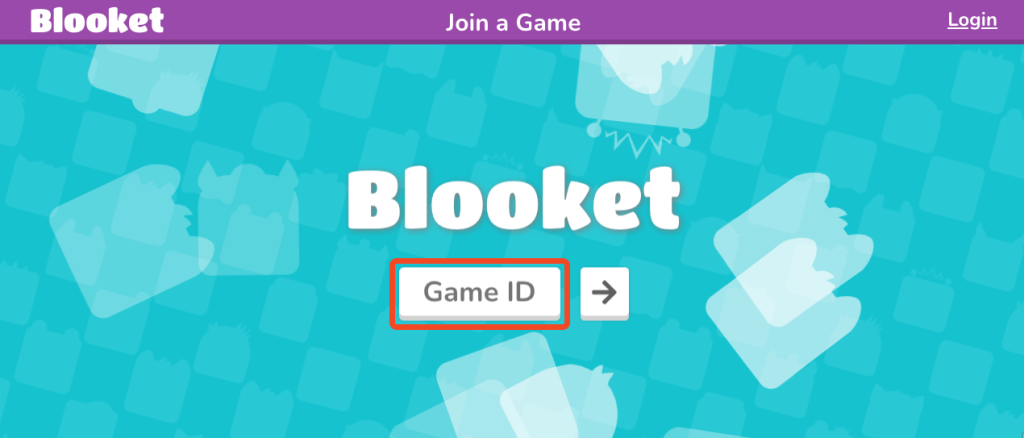
3. Type in the Join Code
Enter the code your teacher gave you in the game code box. Make sure every number is correct before continuing.
If you enter the wrong code, you may see an error or be taken to the wrong session.
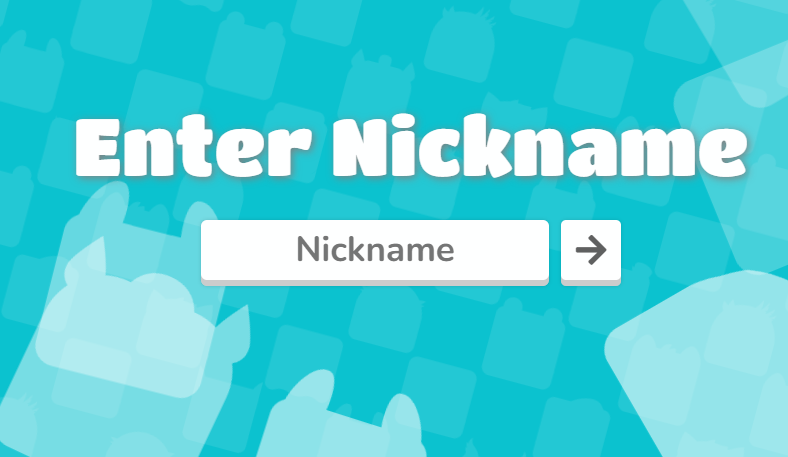
4. Add Your Nickname
After entering the code, Blooket may ask you to choose a nickname. This is the name that can appear during the game.
Use a name that follows your teacher’s rules. Some teachers may want students to use their real first names so they can easily identify everyone.
5. Choose Your Blook
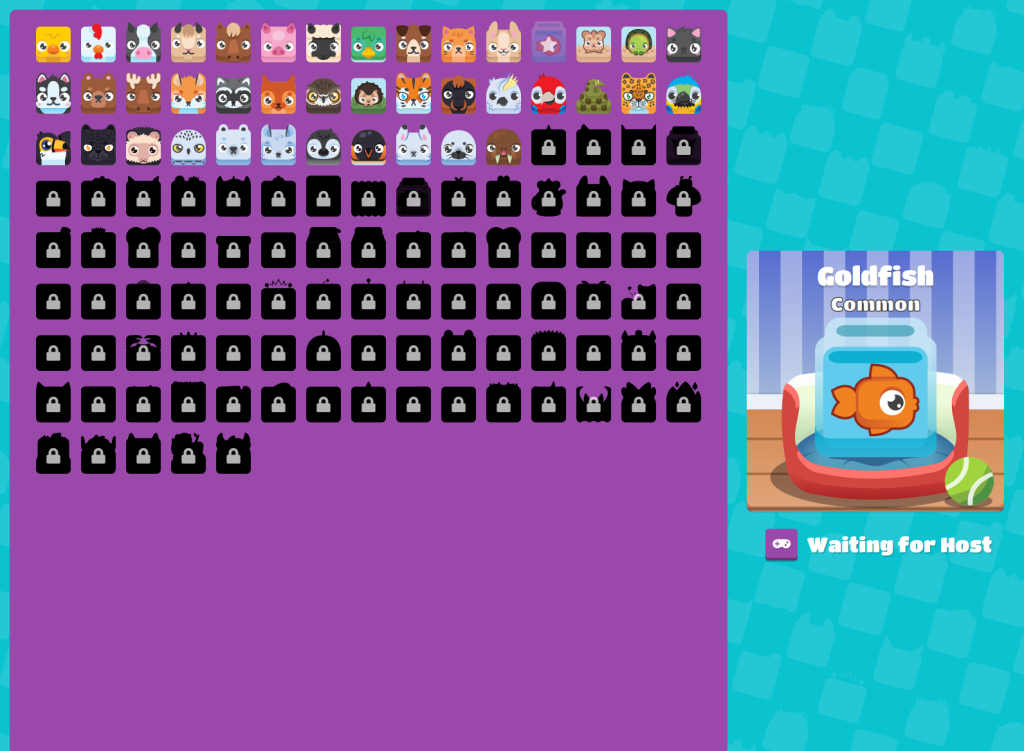
You may then be able to select a Blook for your player. Blooks are the small characters used in the game.
Choose the one you like and continue. Your Blook is mainly part of the game’s visual experience.
6. Wait for the Host
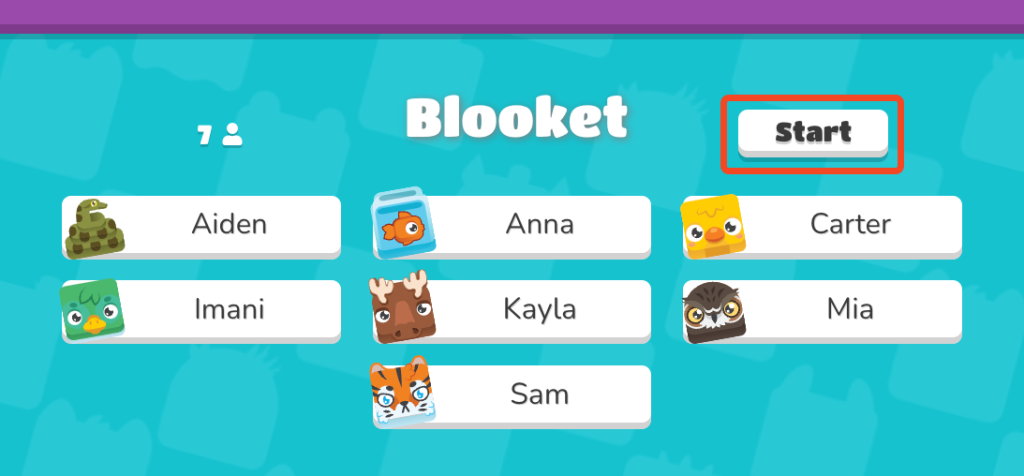
After joining, you may see a waiting screen. This usually means you are in the right place and the host has not started the game yet.
Keep the page open and wait for your teacher or host to begin the session.
7. Start Playing
Once the host starts the game, the questions will appear. Answer them and follow the rules of the game mode your teacher selected.
Depending on the activity, your answers can help you earn points, coins, or other in-game rewards.
How Do Teachers Give Students a Blooket Code?
The host can share the game code in several ways. In a classroom, the teacher may display it on a projector or write it somewhere students can see it.
For online classes, the code can be sent through a class message or learning platform. Some teachers may also share a QR code or direct joining link to make the process faster.
How Do Blooket Join Codes Today Work?
People often search for Blooket join codes today, Blooket join codes right now, or Blooket codes to join right now because they want an active game.
However, there is no single permanent code that works for every Blooket game. Codes are connected to individual game sessions, so an active code depends on what a host is running at that time.
If you are trying to join your class, the best option is to get the code directly from your teacher.
Can You Find Blooket Games to Join Right Now?
You may come across searches for Blooket games to join right now or Blooket games to join. These searches can be useful for people looking for public games, but random games may not be suitable for your class.
A public game can also end before you join it. For school activities, use the code your teacher gives you so you know you are entering the correct session.
What Is a Random Blooket Join Code?
A random Blooket join code is a code shared without a direct connection to your own class or teacher. You may find these codes on videos, social posts, or other websites.
The problem is that you cannot always know whether the game is still active. If you need to join a specific classroom activity, a random code is not a good replacement for the current code from your host.
How to Join a Live Blooket Game
A live Blooket join game is an active session that a host is running. To join one, you need a working code while the session is open.
Enter the code, choose your nickname, and wait for the host. If the game has already finished, you will need a new session and a new code.
How to Join Blooket With a QR Code
Some hosts use QR codes instead of asking everyone to type a number. This can save time when many students are joining together.
Open your phone or tablet camera and scan the QR code shown by the host. Tap the link that appears and follow the joining instructions on the screen.
How to Join Blooket With a Link
A host may also send a direct game link. This can be useful when the game is being used during an online lesson or shared through a digital classroom.
Open the link and follow the instructions. Depending on the game settings, you may still need to choose a nickname before entering.
Why Is My Blooket Join Code Not Working?
A code may fail for several reasons. You might have typed it incorrectly, the host may have ended the game, or a new session may have replaced the old one.
Start by checking the code carefully. If it still does not work, ask the host whether the game is active and request the latest code.
The Code Is Incorrect
One wrong number can stop you from joining the game. Check the code on your screen and compare it with the code your teacher gave you.
If you are not sure about the code, ask your teacher to show it again instead of guessing.
The Game Has Ended
A Blooket code is linked to a specific game session. When that session ends, the code may no longer work.
If your class has started a new game, ask your teacher for the latest join code.
The Host Has Not Started
If you are stuck on the waiting screen, the host may not have started the game yet. Give your teacher a little time to make sure everyone has joined.
You can stay on the page and wait until the game session begins.
Your Internet Is Weak
A weak internet connection can stop the game from loading properly. Check your Wi-Fi and make sure your device is still connected.
If the game stops responding, try refreshing the page and joining again.
Can You Join Blooket After the Game Starts?
This depends on the game and the settings chosen by the host. Some sessions may allow students to join after the game begins, while others may not.
If you arrive late and the code does not let you in, ask your teacher whether late joining is available. The host can tell you if you need to wait for another round.
Common Blooket Join Problems
| Problem | What You Should Do |
|---|---|
| The code is not working | Check the numbers and ask for the current code |
| You see “Waiting for Host” | Stay on the page until the host starts |
| The game disappeared | Ask whether the session has ended |
| The page will not load | Check your internet and refresh |
| You joined the wrong game | Leave and enter the correct code |
| You were disconnected | Refresh and try to rejoin |
| You arrived late | Ask the host if late joining is allowed |
Blooket Join vs Blooket Host
The Blooket Join side is for students who are entering a game. The host side is for the teacher or person controlling the session.
The host creates or starts the game and gives players the information they need. Students simply use the code or link to enter and wait for the activity to begin.
Is Blooket Join Free?
Yes, joining a classroom Blooket game does not normally require students to pay. You need a device, an internet connection, and the information provided by the host.
You can participate in the game without buying anything just to enter the session.
Tips for Joining Blooket Without Problems
Before the game begins, make sure your device has a working internet connection and enough battery. Keep the joining page ready if your teacher uses Blooket regularly.
When the code appears, enter it carefully and avoid using old codes from previous games. If something goes wrong, ask the host for help instead of trying random codes.
Frequently Asked Questions
Final Thoughts
The Blooket Join process is designed to get students into a game without making them go through a long setup. Once you receive the current code, you can enter it, choose your nickname, pick a Blook, and wait for the host to start.
If you are searching for Blooket join codes today, Blooket games to join, or a Blooket live join, remember that active codes depend on the host and the current game session. The safest and easiest way to join your class is to use the code directly from your teacher.
And if a code does not work, do not worry. Check the numbers, make sure the game is still running, and ask the host for a new code if needed.